
How do I know which mix version a client approved?
An approval in Soneam is attached to a version number, not to “the last one”. Open the approval record to see the approved version of each track.
When a client says “the last one”, it can mean the last file they listened to, the last one you sent, or the newest one on the page. In Soneam the client approves on the review page, and the approval is stored with the version shown there, for example v3 of a track. It does not change when you upload v4.
If the client approved in a chat or by email, ask them to approve the version on the review page. You can also record their approval in Soneam; the record identifies it as entered by you.
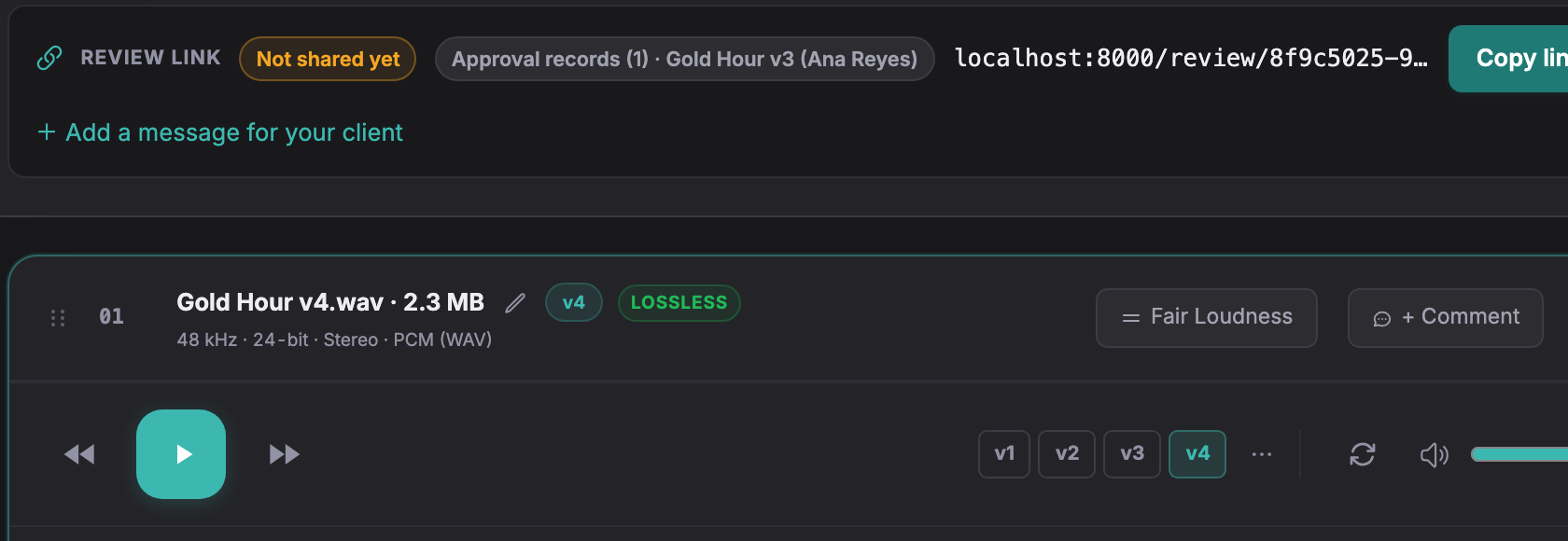
In the example below, the client approved v3 and v4 is now current.
-
Open the project. Beside the review link, Approval records shows the approved version and the name: here, Gold Hour v3. The player shows the current version: here, v4.
-
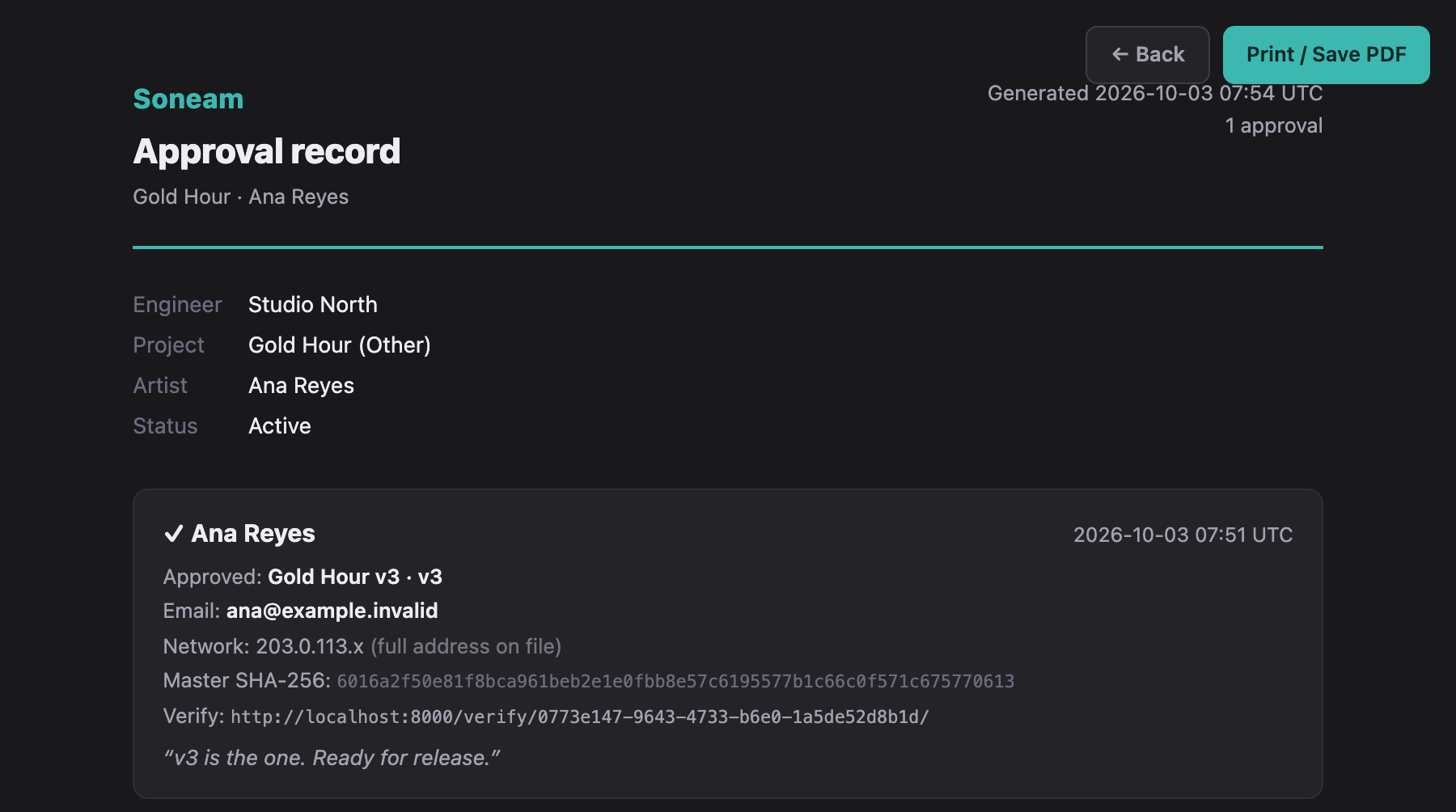
Open the review-link menu and choose Approval record. It lists each track with the approved version, the person, the time in UTC and the file’s SHA-256 checksum.
-
Compare the approved version with the current version of each track. If they differ, make the approved version current from its menu, or ask the client to approve the newer one.
When the versions differ
Released downloads follow each track’s current version, not the approved one. Before releasing files, check that the current version is the approved version. See how to avoid delivering the wrong mix version for the release steps.
The checksum in the record identifies the exact approved file. A downloaded file with the same SHA-256 is identical to it.
Try it in Soneam
Explore the client review page. The public demo does not accept approvals; to see an approval record for your own mix, create a free account.
You need a free account to upload a mix. Your clients do not need one to listen or comment.
Not covered here? Write to support@soneam.com.