
How do I revoke a link I already sent?
Choose Make a new link from the review-link menu. The new URL replaces the old one immediately.
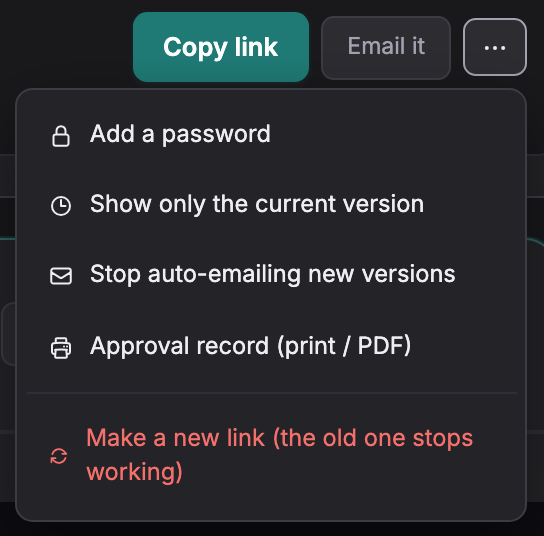
Each project has one review link. To revoke it, open the menu beside the link and choose Make a new link. After confirmation, send the replacement URL to the intended recipients.
-
Open the project, press the menu beside the review link, then Make a new link (the old one stops working).
-
Confirm. The new link is under the title; send that one.

The old URL no longer grants review or download access. The replacement link shows the released files. Already downloaded files and already loaded audio cannot be recalled.
To stop downloads without replacing the review link, use Unrelease in Delivery. A revoked URL cannot be restored.
Not covered here? Write to support@soneam.com.