
How do I password-protect a link?
Add a password from the review-link menu. Email links sent by Soneam include access, so recipients do not need to type it.
You can add, change or remove a password from the menu beside the review link. The password protects both review access and released downloads.
-
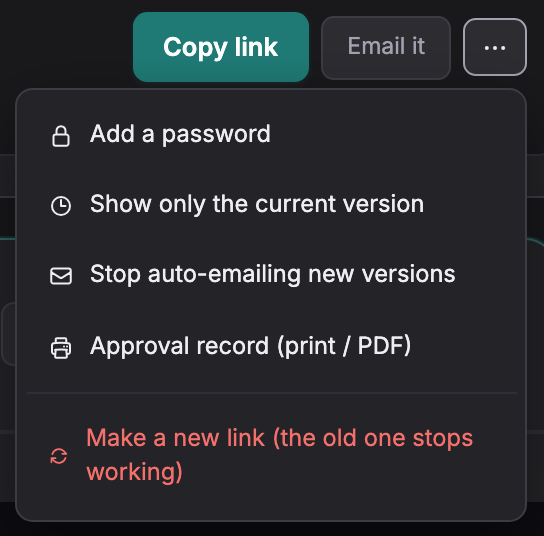
Open the review-link menu and choose Add a password.
-
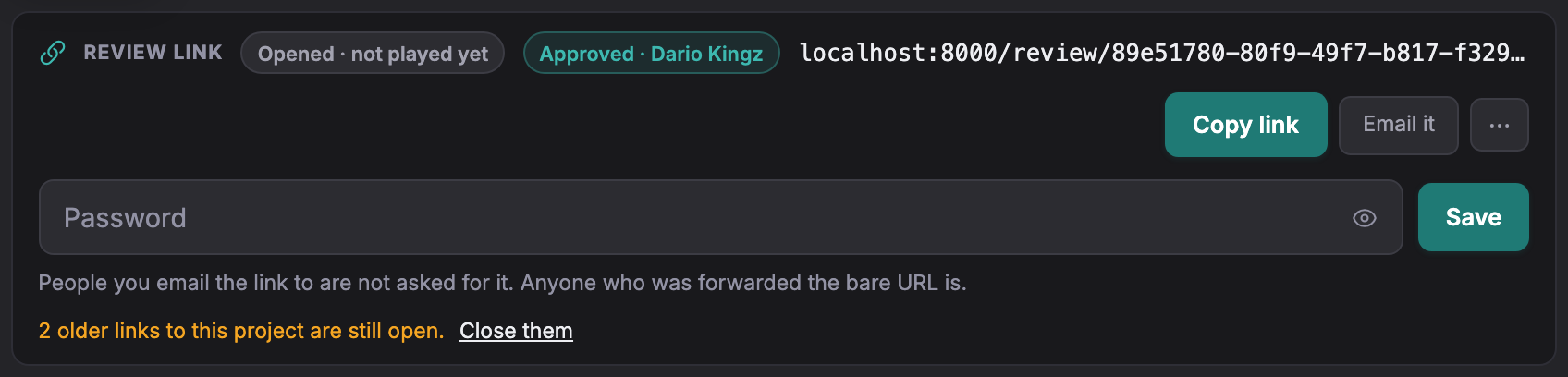
Enter the password and select Save. Later, use Change or remove the password; save an empty field to remove it.
-
A link emailed from Soneam includes access without a password prompt. A recipient using the ordinary review URL must enter the password.
Five incorrect attempts lock that visitor out for fifteen minutes. Passwords are stored as hashes and cannot be displayed later; set a new password if needed.
Links emailed by Soneam include access that avoids the password prompt. Forwarding that email may also forward access. Someone with only the ordinary review URL must enter the password.
Not covered here? Write to support@soneam.com.